

Systematic Travel
A complete accounting system for travel agencies, with the sales desk built in.
Runs on Web · Windows · macOS · Linux
Built for Travel agencies · Ticketing and consolidator offices · Visa, hajj and umrah offices


Sales in our load tests, with the books still balanced to the cent
190,000
Integrity checks that prove the whole ledger, on demand
29
Automated engine tests run on every change
268
Systematic Travel is an ERP with a general ledger at its centre. Every ticket, visa, hotel, receipt, payment and expense posts a balanced double-entry voucher in the same transaction, in the currency of each account, with the rate of its day. Receivables, payables, banks and wallets, VAT, financial statements, period close and a permanent audit trail come from that one ledger, and the engine refuses anything that would bend it. It runs as a desktop app on your own computers, with no internet and across the office network, or as a private website on the agency’s own server, opened from any computer, tablet or phone.
A complete accounting system, not a ticketing tool
Underneath the sales desk is a full general ledger. Customers, suppliers, cash boxes, banks, wallets, expenses, VAT and equity are accounts in one chart, and every movement between them is a voucher you can open, print, reverse and trace to the sale it came from.
- Chart of accounts with classes, numbering by group and your own codes
- General ledger, journal vouchers, receipts and payments
- Receivables and payables kept sale by sale, with ageing
- Cash boxes, banks, wallets and payment gateways in any currency
- Financial statements, period lock and year-end close
Every sale is posted, in the same instant
Saving a ticket debits the customer, credits the supplier and posts the sale and the cost to that product’s own accounts, with VAT on its own line, in one database transaction. The sale and its entry are written together or not at all, so the books can never fall behind the desk.
- One sales and one purchase account per product, mapped in Settings
- Editing a sale re-posts its voucher; deleting it removes it whole
- Ten voucher types, each with its own running number
- Open any sale and see every ledger line behind it
Rules the books cannot break
The rules are enforced by the engine and by the database itself, not by hiding buttons. A voucher that breaks one is refused whole, whoever sends it and from whichever desk.
- Every voucher balances in its own currencies and in the main currency
- A line is always in its account’s currency, with the rate it was converted at
- A voucher or sale number once given is never given again, even after a delete
- The audit log and locked periods are protected inside the database
- Amounts finer than their currency are refused, never rounded away
Built against the ways books get bent
We went through how staff actually move money where it should not go, and closed each way in the engine. What is still allowed to someone trusted is logged as what it is.
- Nothing is dated after today, and backdating has a limit in days
- Only today’s rate is entered at the desk; a past day’s rate is an override, logged
- Setting the computer’s clock back stops every save until it is put right
- Typing a foreign line’s value by hand, or selling below cost, needs its own permission
- A sale with payments cannot be deleted, and strict mode lets posted vouchers only be reversed
Every change, who made it and what it was before
Every create, edit, delete, refund, reversal and rate change is logged with the user, the time and the record before and after, field by field. Refused attempts, clock trouble and changes to the control settings are logged beside them. Nobody can edit or delete the log, the owner included.
- Before and after of every record, field by field
- Refused attempts and permission denials, with who tried
- Changes to backdating, delete and audit settings, old and new value
- Filter by user, action, record and date, and print
Every desk on one set of books, over your own office network
One computer holds the books and runs the network server; every other desk pairs with it and works on the same ledger, live, with no internet and no cloud in between. Every save from every desk passes through the same engine, the same permissions and the same fraud controls, on the shop’s own day and timezone.
- Desks find the main computer on the network by themselves, or connect by its address
- Pairing with a PIN that changes every 30 seconds and works once, plus a code to compare on both screens against tampering
- Encrypted connection; a desk’s key works only from that computer, and a copied key is cancelled
- The books stay on the main computer, backed up there; desks are named, listed with when they were last seen, and removed in one click
- Two people editing the same record are told, and the second edit never overwrites the first
Or as a private website, on any computer, tablet or phone
For agencies that work from more than one place, Systematic sets up the same system as a website on a private server for that agency alone: one agency, one server, one set of books. Staff sign in from a browser on a computer, tablet or phone and work with the same engine, permissions and fraud controls as on the desktop. The website works online; the desktop app stays the choice for working with no internet.
- A private server for each agency, set up and updated by Systematic, over HTTPS
- Screens laid out for phones: a slide-in menu, lists as cards, one field per line
- The sign-in is held by the server: a refresh or a new tab stays signed in, a copied session is refused
- Repeated wrong passwords lock the address; the owner resets their own password with a single-use recovery code
- Staff see only what their role allows, checked by the server on every request
Statements an accountant can sign
Twelve reports read straight from the posted ledger, so they always agree with each other: the trial balance foots, the balance sheet balances, and the income statement ends on the same profit as the dashboard. Each prints on your letterhead and exports to Excel.
- Trial balance, income statement and balance sheet
- Account statement with running balance in two currencies
- Customer and supplier general reports, receivables and payables ageing
- General journal, exchange differences, VAT declaration, sales analysis
- Any report in another currency, with the translation difference stated
Any number of currencies, one set of books
Each customer, supplier, cash box, bank or wallet is kept in its own currency. Every line keeps the rate of its own day, and when a debt is settled at another rate the difference is posted as an exchange gain or loss automatically. At year end, open foreign balances are revalued.
- Each currency quoted the way the market quotes it, with its own decimals
- A rate used by entries is frozen; changing it is a logged override
- A currency marked “ask daily” saves nothing until that day’s own rate is entered
- A supplier amount more than 2% from the day’s rate needs permission and is marked on the sale
- Realised exchange differences posted on every settlement
- A rate that changes while a save is on its way refuses the save
Who owes what, sale by sale
Each receipt is applied to the sales it pays and each payment to the purchases it settles, so every sale shows unpaid, part paid or paid, on both sides. Advances and refund credits stay as free credit and are applied to the next sale with one click.
- Customer and supplier free credit, applied oldest first
- Opening balances per account, settled like any sale
- Ageing as of any day, by customer or by supplier
- Receive a payment from the sale itself, in any currency
Banks, wallets and gateways, reconciled from their own files
Every bank, wallet and payment gateway is an account with its own fees and settlement delay. Import its statement and the matching lines are paired with the books; the fee the provider kept is posted where it belongs, and money still on its way waits on a clearing account.
- CSV, OFX, MT940 and CAMT.053 statements
- A statement imported twice, or with a gap, is refused
- Provider fees and payout delays per bank or wallet
- A transaction reference required where the provider gives one
VAT on the agency’s margin, declared to the cent
VAT is charged on what the agency earns on each sale, included in the price or added on top; airline taxes and embassy fees stay money owed to the supplier. A refund takes VAT back in the same share as the margin, and the declaration always equals the VAT account.
- Each sale keeps the VAT terms it was made on
- Recoverable VAT on expenses on its own account
- VAT declaration for any period
- Off until you switch it on
Lock the month, close the year
Lock every day up to a date and nothing can be posted, changed or deleted before it, from any desk; the database enforces it. Closing the year previews what it will post, revalues foreign balances and moves the result to retained earnings. Reopening needs a reason, and is logged.
- Period lock through any day
- Year close with a preview and revaluation
- Reopen a year with a logged reason
- The day the books start is set at setup
The ledger proves itself
One button runs twenty-nine checks over the whole database: every voucher balances, every sale agrees with its entry, every payment with what it settled, every total with its lines, every counter with its documents, and the file itself is sound. The answer is a list of what is wrong, or nothing.
- Read-only, run whenever you like
- Each finding names the records to open
- Covers vouchers, sales, payments, VAT, rates, banks, wallets and counters
- The same checks run after every one of our automated tests
Backups on your schedule, and a warning if one fails
The owner chooses when the daily copy of the books is made and how many are kept, and when a copy goes to Google Drive, encrypted, once a day. Every backup and every send is recorded; one that fails, for want of internet or disk space, is tried again every 30 minutes, and until one succeeds the owner sees a warning on every page.
- A daily copy at your time, and on closing the desktop app
- Google Drive once a day, encrypted; older copies move to the Drive trash
- Back up, send to Drive or download a copy at any time
- A history of every backup and send, with the reason when one failed
- A verified copy before every action that rewrites the books
Tested like a ledger, not like a form
The accounting engine is a separate core with 268 automated tests. On top of them we run audits that attack it on purpose: hostile input, two desks saving the same record at once, saves cut off half way, impossible dates and amounts, and books of 190,000 sales. Each audit ends with Check books finding nothing.
- Hundreds of hostile and concurrent probes, re-run on every change
- A copy of a database with two million records migrated and checked with no issue
- A save sent twice is recorded once
- A copy of the books is saved before every action that rewrites them
Each person does only what their role allows
Forty-three permissions cover every screen and action, with owner, accountant and cashier roles to start from and your own beside them. An employee can be limited to their own sales and to recent dates, and the engine enforces it on every desk.
- See and edit only your own sales, or everyone’s
- Backdating, rate overrides and selling at a loss each a separate permission
- Reports, exports and settings granted one by one
- Every refusal logged with who tried
Six products, sold the way agencies sell them
Tickets, visas, hotels, food, transportation and freight bills each have a form with the fields that product needs. Type the cost and the margin, or the price, and the rest is worked out, with the passenger, route, flight date or stay on the record.
- Several tickets on one voucher, numbered in sequence
- Refunds with the airline’s cancellation fee and the margin kept
- Discount by amount or percent, tax and insurance on their own lines
- Departures and check-ins coming up, and what is still unpaid on them
Rent, salaries and fees, posted properly
An expense is one line: what it was, what it was paid from, how much. It is saved as a payment voucher against your own expense account, reaches the profit the same day, and is edited, reversed or deleted only with the right permission.
- Any expense account from your own chart
- Paid from any cash box, bank or wallet, in its currency
- Recoverable VAT kept apart
- Listed, filtered and exported like every other list
Margin, expenses and net profit at a glance
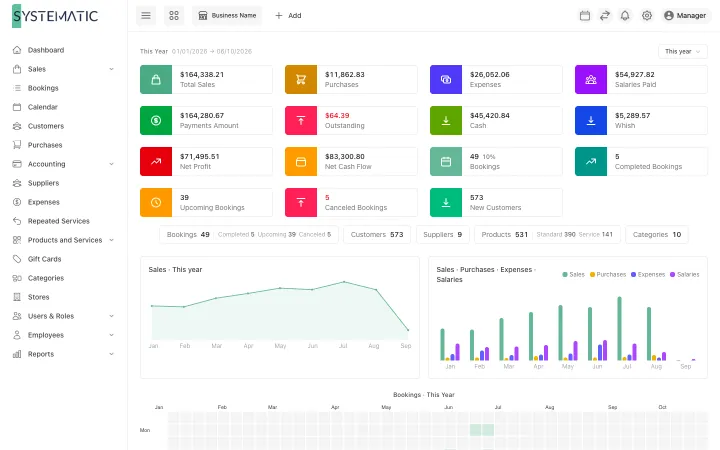
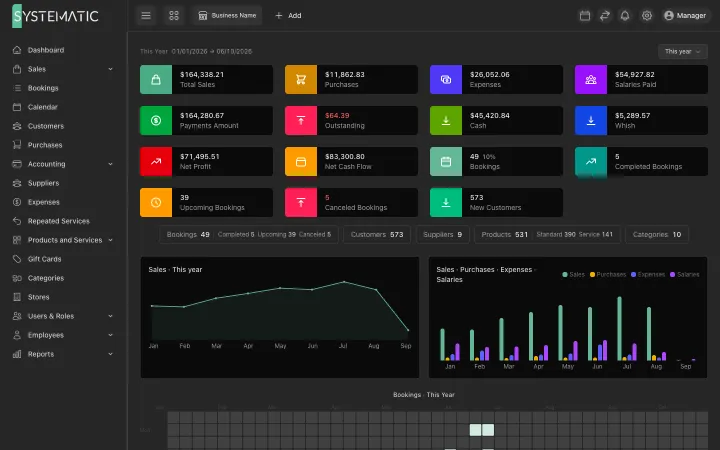
The home page shows sales, purchases, gross margin, expenses and net profit for any period, the same figure the income statement ends on, beside what customers owe, what is owed to suppliers and what sits in cash, banks and wallets today.
- Any period: today, this month, this year or your own range
- Sales trend, sales against purchases, sales by product
- Travelling soon and sales not fully paid
- A count of every list, one click from it
From a new install to working books in minutes
A wizard asks for the agency, its currencies, chart numbering, VAT and the day the books start, then creates the chart, the product accounts, the first cash box and bank or wallet, and the opening balances in one step. Existing data comes in from Excel, every row checked before anything is saved.
- French / Lebanese plan, international numbering, or your own codes
- Import accounts, rates, opening balances, tickets, bills and vouchers
- Every imported row shown and checked first
- Automatic backups locally and to Google Drive
English, Arabic and French, on screen and on paper
Every screen, every refusal and every printed document is in the language each desk chooses, Arabic right to left. Invoices, vouchers and statements print with your letterhead, and amounts are written in words in all three languages.
- Invoices, bills, vouchers and statements on your letterhead
- Amounts in words on printed vouchers
- Arabic search finds a name however it was spelled
- Twenty-three keyboard shortcuts for the busy desk
A look at the real screens
A selection of the screens, not all of them. These are the real layouts, filled with sample data. Open any screen to see it full size and zoom in.
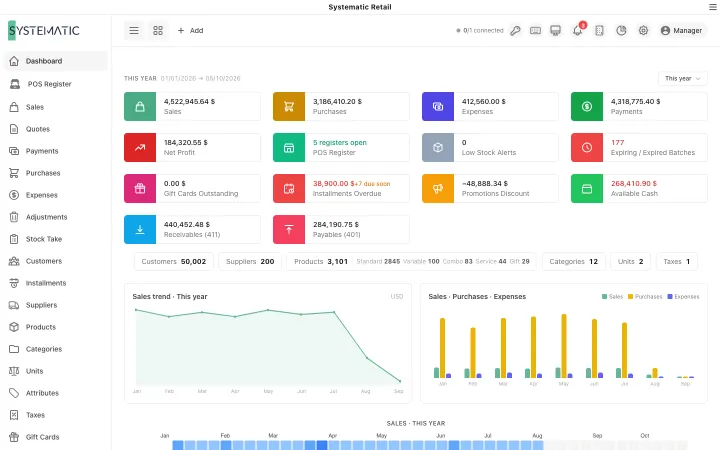
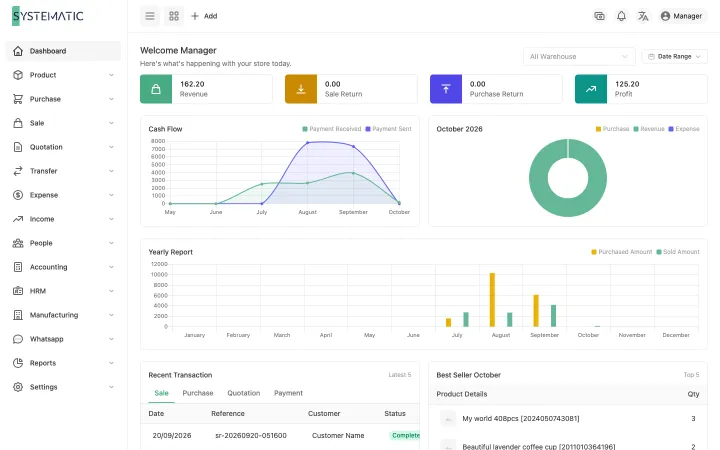
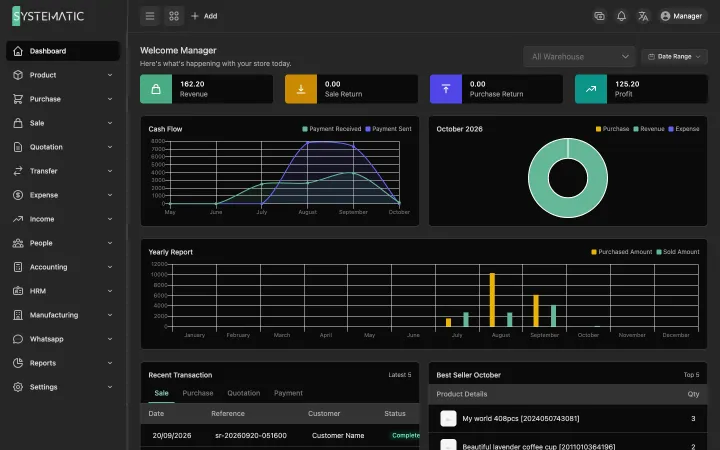
Sales, margin, expenses, net profit and what needs attention.
1 / 4 · Selling
Everything included, nothing to add on later.
General ledger at the centre
Every sale, receipt, payment and expense posts a balanced voucher in the same transaction.
Full accounting
Chart of accounts, journal, receivables, payables, banks and wallets, VAT, statements and period close.
Fraud controls in the engine
No future dates, today-only rates, clock tampering stopped, overrides logged.
Tamper-proof audit trail
Every change with who, when, before and after, plus every refused attempt. Nobody can edit it.
Twelve financial reports
Trial balance, income statement, balance sheet, statements, ageing, VAT and more, to Excel.
Any number of currencies
Each account in its own currency, each line at its day’s rate, exchange differences posted for you.
Banks and wallets reconciled
CSV, OFX, MT940 and CAMT.053 statements matched, with provider fees and payout delays.
Period lock and year close
Locked days enforced by the database; year close with revaluation and a logged way back.
29 integrity checks
One button proves every voucher, sale, payment, total and counter in the books.
268 engine tests
Plus hostile, concurrent and 190,000-sale load audits on every change.
Receivables and payables
Applied sale by sale on both sides, with free credit carried to the next sale.
Six travel products
Tickets, visas, hotels, food, transportation and freight bills, with refunds done properly.
43 permissions
Owner, accountant and cashier roles, and your own, enforced on every desk.
Network mode
Any number of desks on one ledger over the office network: rotating pairing PIN, encrypted, keys tied to each computer.
Works offline
The desktop app runs on your own computers, with no internet needed.
Private website
Or the same system on the agency’s own server, opened from any computer, tablet or phone.
Backups on your schedule
Daily copies at your time, Google Drive once a day, a history, and a warning if one fails.
Three languages
English, Arabic and French on every screen and every printed document.
Who it is for
Other solutions
All solutions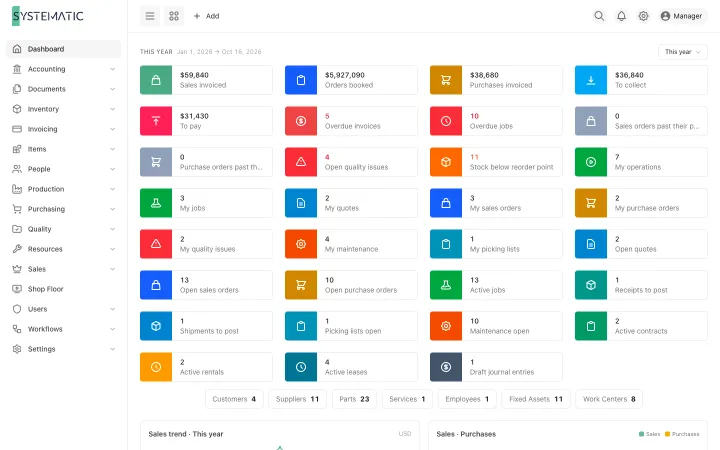
See it running on your own data
A demo on sample data, with your questions answered in writing.